Keep Your Trips, Pay,
and Invoices in One Place.
Log trips in seconds, track base pay and tips, and send clean invoices from your phone — built for charter captains, fishing guides, and tour boat captains who need a simple system that works on the water.
Free to download. Unlock unlimited trips and full captain profile access with one $29.99 lifetime Pro Captain purchase. No subscription. No renewals.
Mastering the Helm
See how working captains use Boat Captains Trip Log to log trips, track earnings, and send invoices — all from the boat.
Everything a Working Captain Needs
Built around the real workflow of charter captains, fishing guides, and tour boat captains — from first trip of the day to invoice time.
Trip Logging
Log each trip with date, time, trip type, and the company you're working for. Enter adults, children, and infants — the app totals your passenger count automatically.
Real-Time Pay Calculator
Enter your base pay and tips and watch the total update instantly. No mental math at the end of a long day on the water.
Monthly Trip Calendar
See every trip on a full monthly calendar. Each day shows your trips and the earnings total — a quick look tells you exactly how your month is shaping up.
Invoice Builder
Select which logged trips to include, enter the company name and billing details, and generate a professional invoice. Save as PDF or email it directly from the app.
Invoice Tracking
See all your invoices in one place — draft, sent, and paid. Mark invoices paid when you get your check, and keep a clean record of what each company owes you.
Captain's Profile
Store your captain's name, license number, home port, marina, and contact info. Your profile details carry through to every invoice you generate.
Expense & Receipt Tracking
NEW — Scan receipts, track reimbursable expenses, and attach them to invoices. The app reads the merchant, date, and amount automatically — then the actual receipt goes right into the invoice PDF.
Done Before the Lines Are Tied Up
Logging a trip takes less than a minute. Sending an invoice takes two. No spreadsheets, no paper, no headaches.
Log a Trip
Pick your trip type, enter who you're working for, add your passenger count, and enter base pay and tips. The total calculates as you type.
Check Your Calendar
Your monthly calendar shows every trip and daily earnings at a glance. See your whole schedule and income picture in one view.
Build an Invoice
When it's time to get paid, go to Invoices, create a new invoice, and check off which trips to include. Add the company's billing details and you're done.
Send & Get Paid
Email the invoice directly from the app or save it as a PDF. When payment comes in, mark it paid and keep your records clean.
See It in Action
Real screenshots from the app — no mock-ups, no stock photos. This is exactly what you'll use every day on the water.
App launch screen
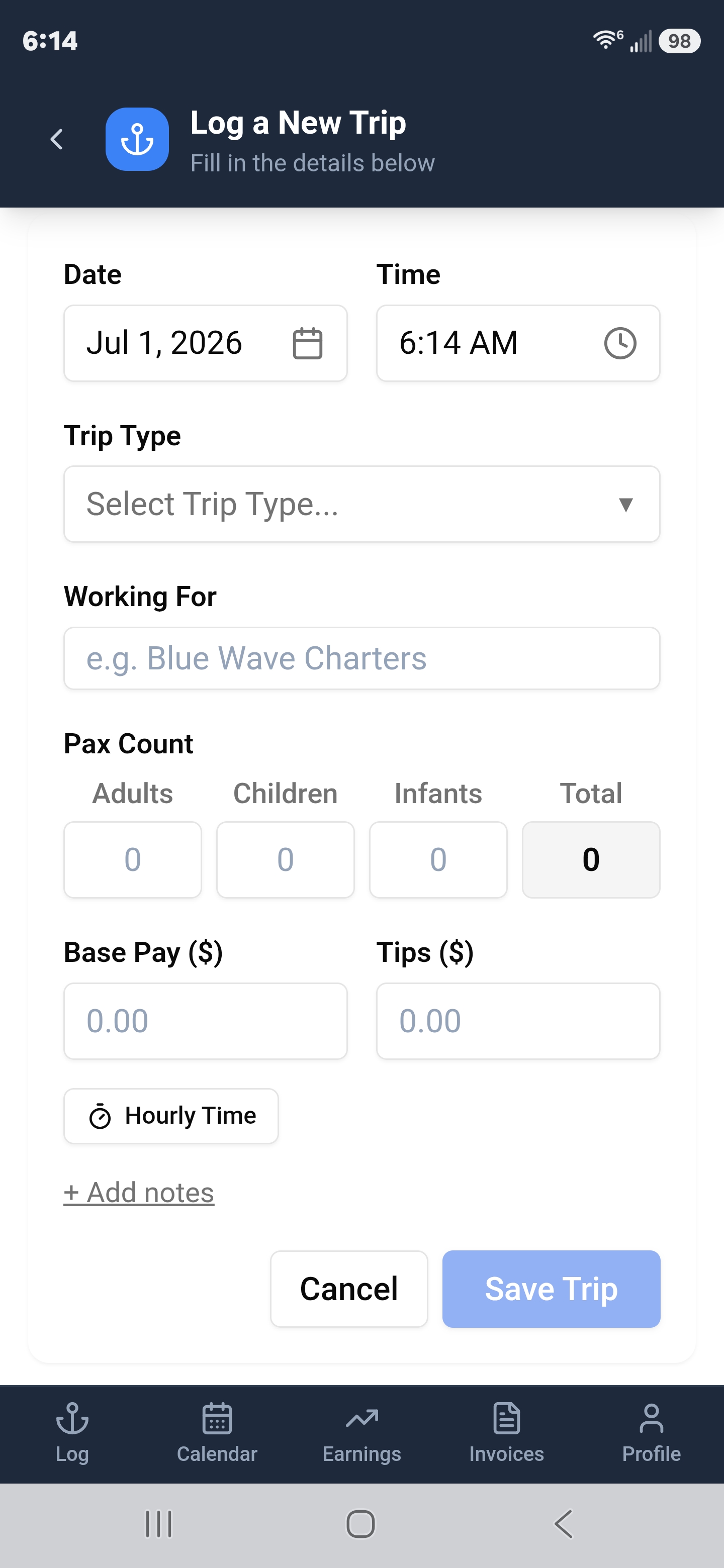
Log a new trip
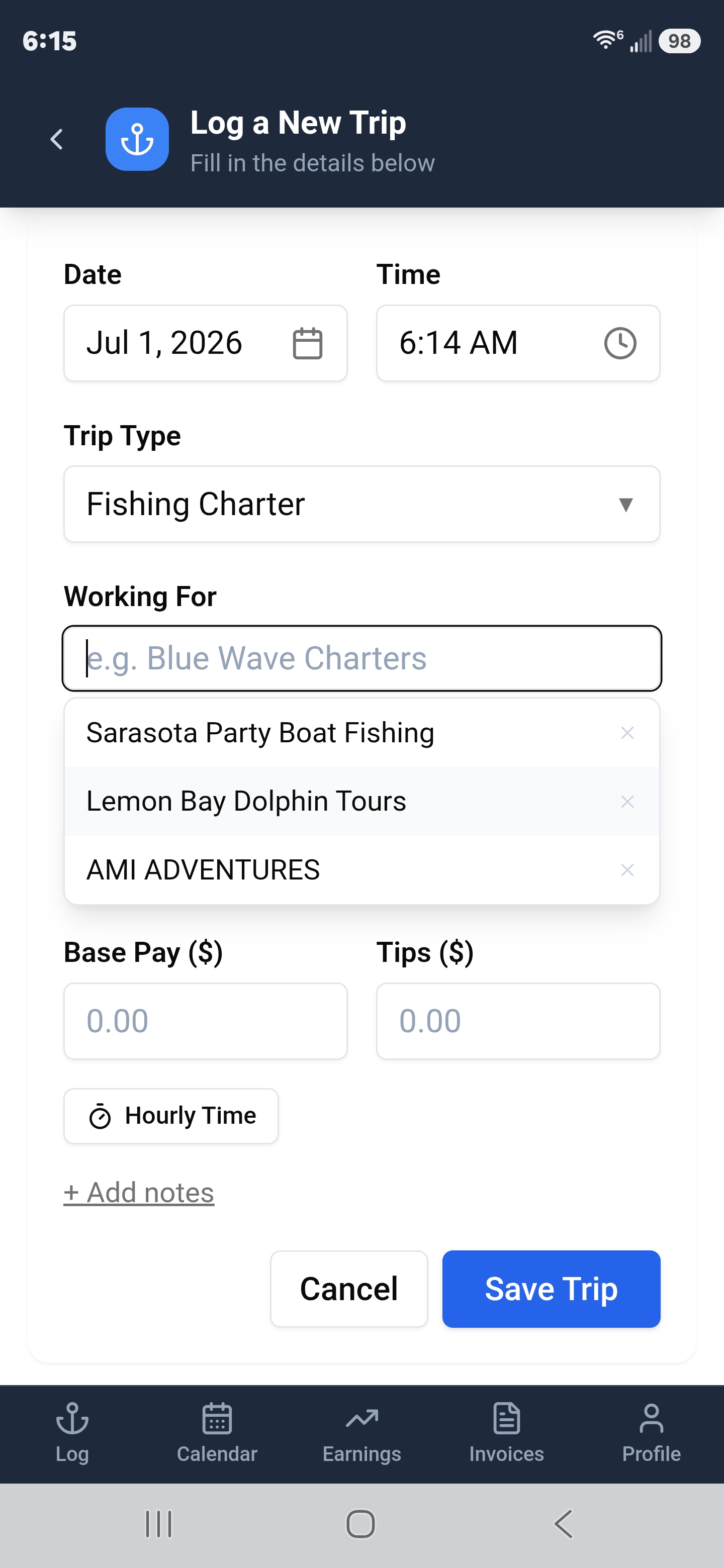
Smart company autocomplete
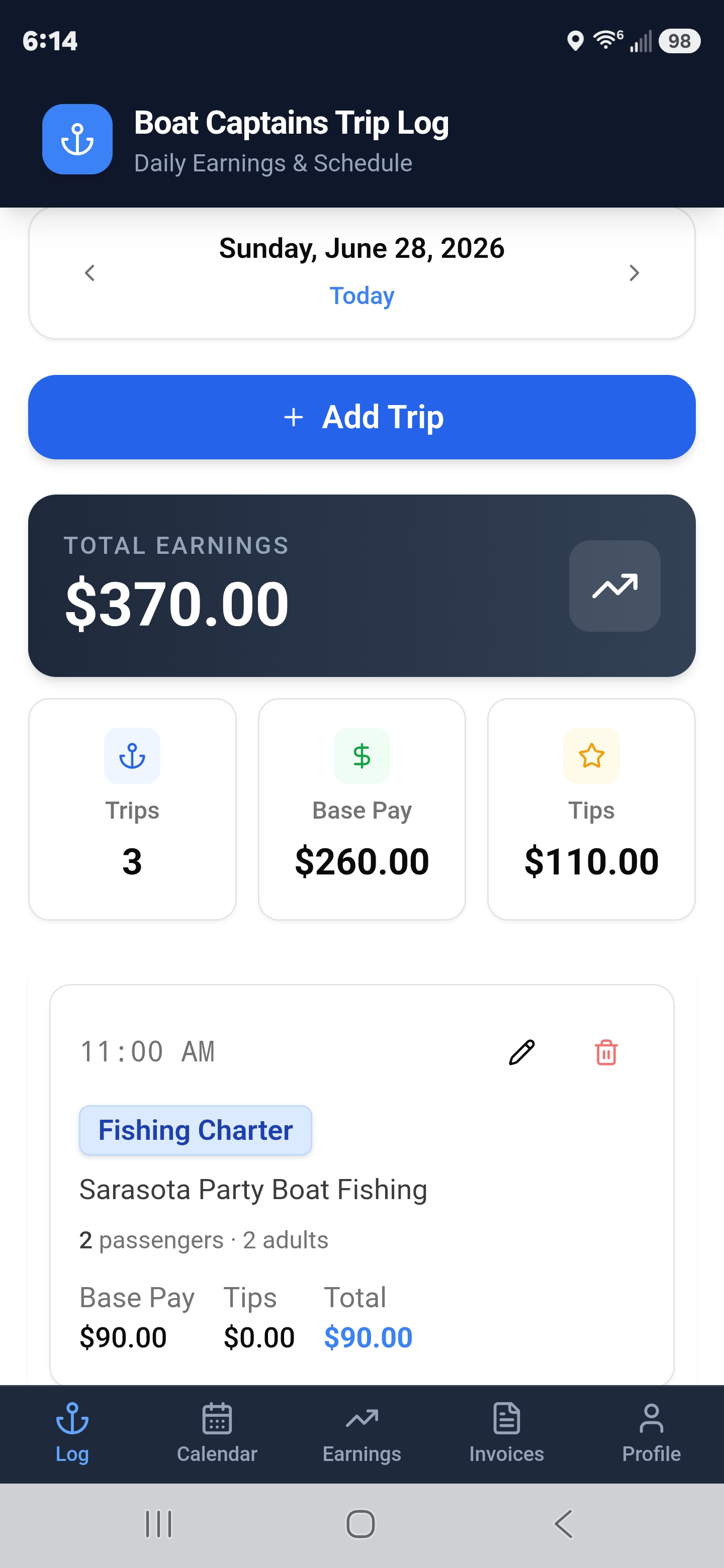
Daily earnings dashboard
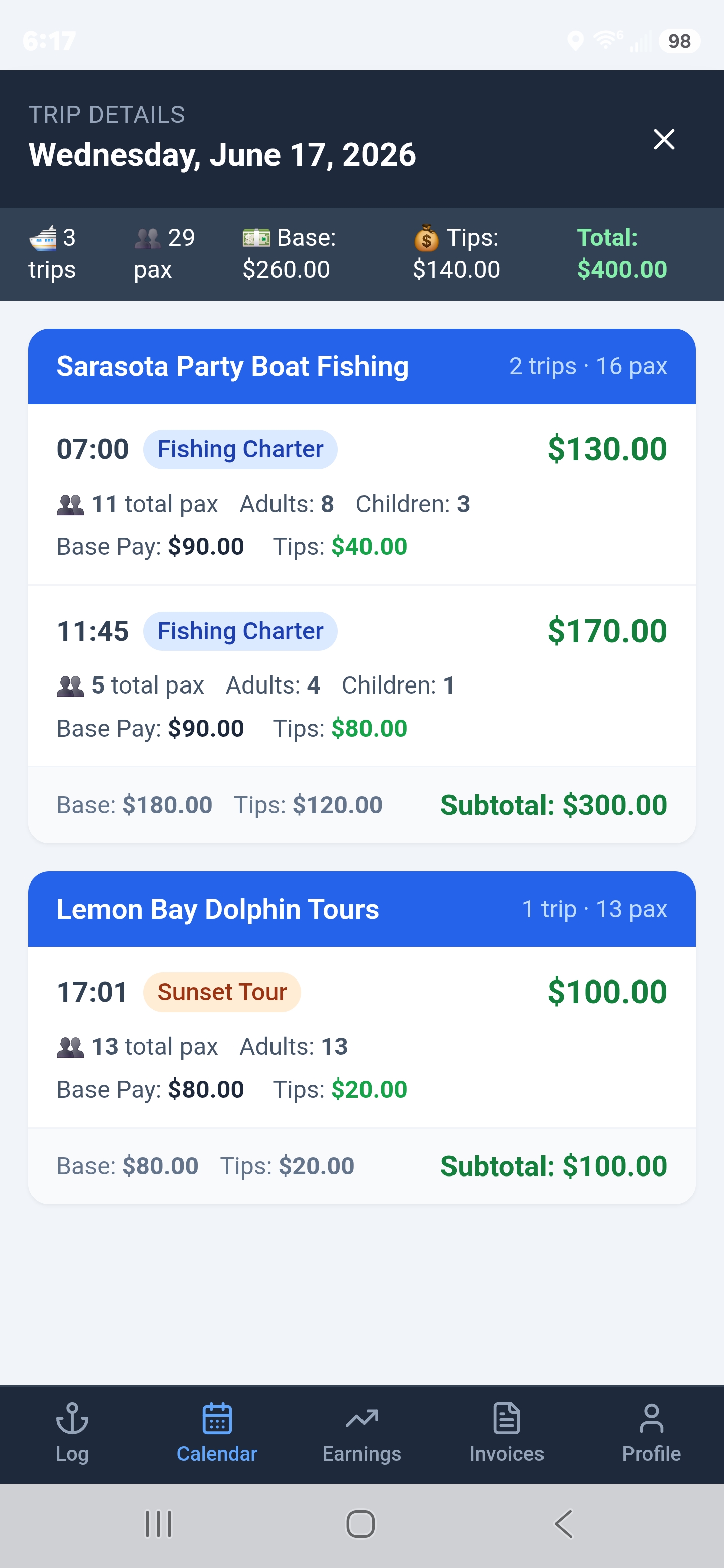
Day breakdown by company
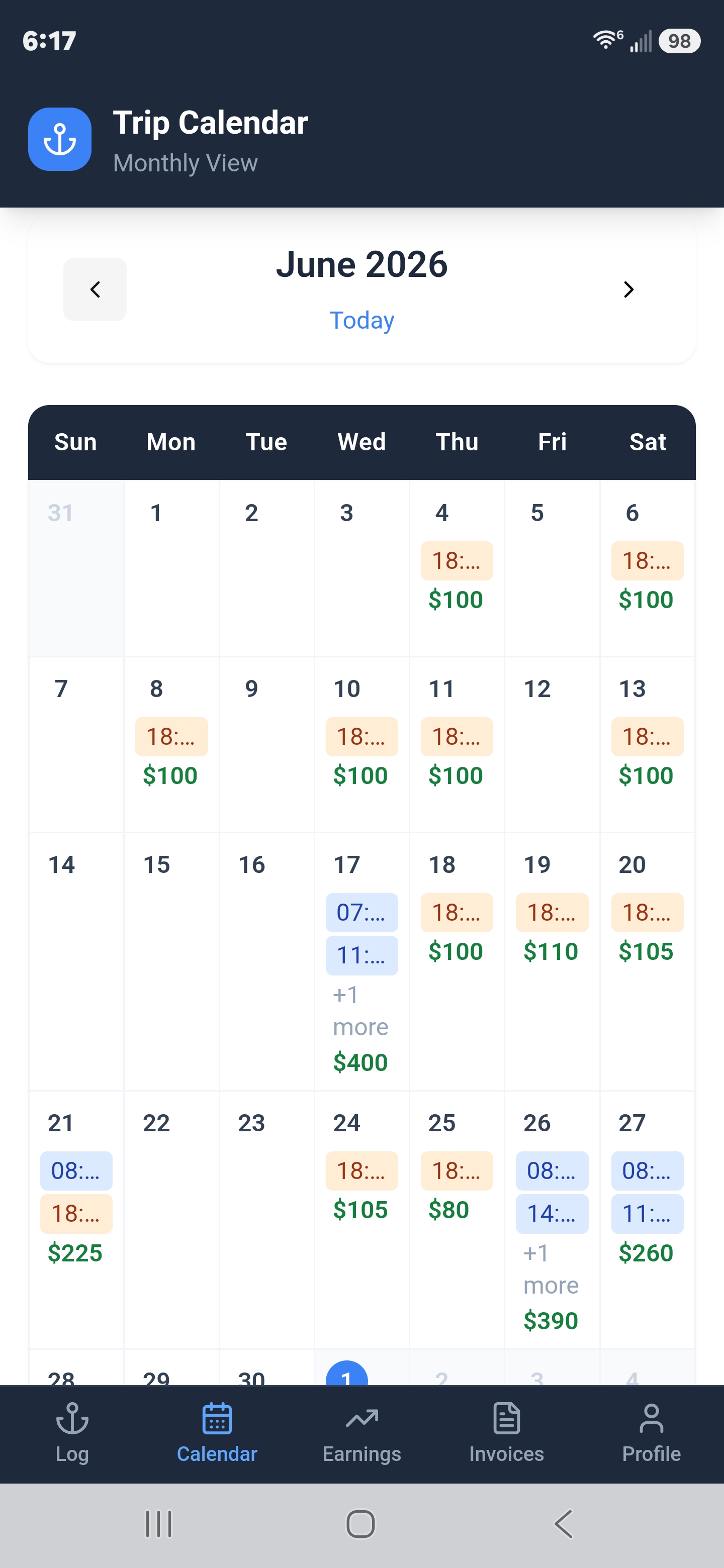
Monthly trip calendar
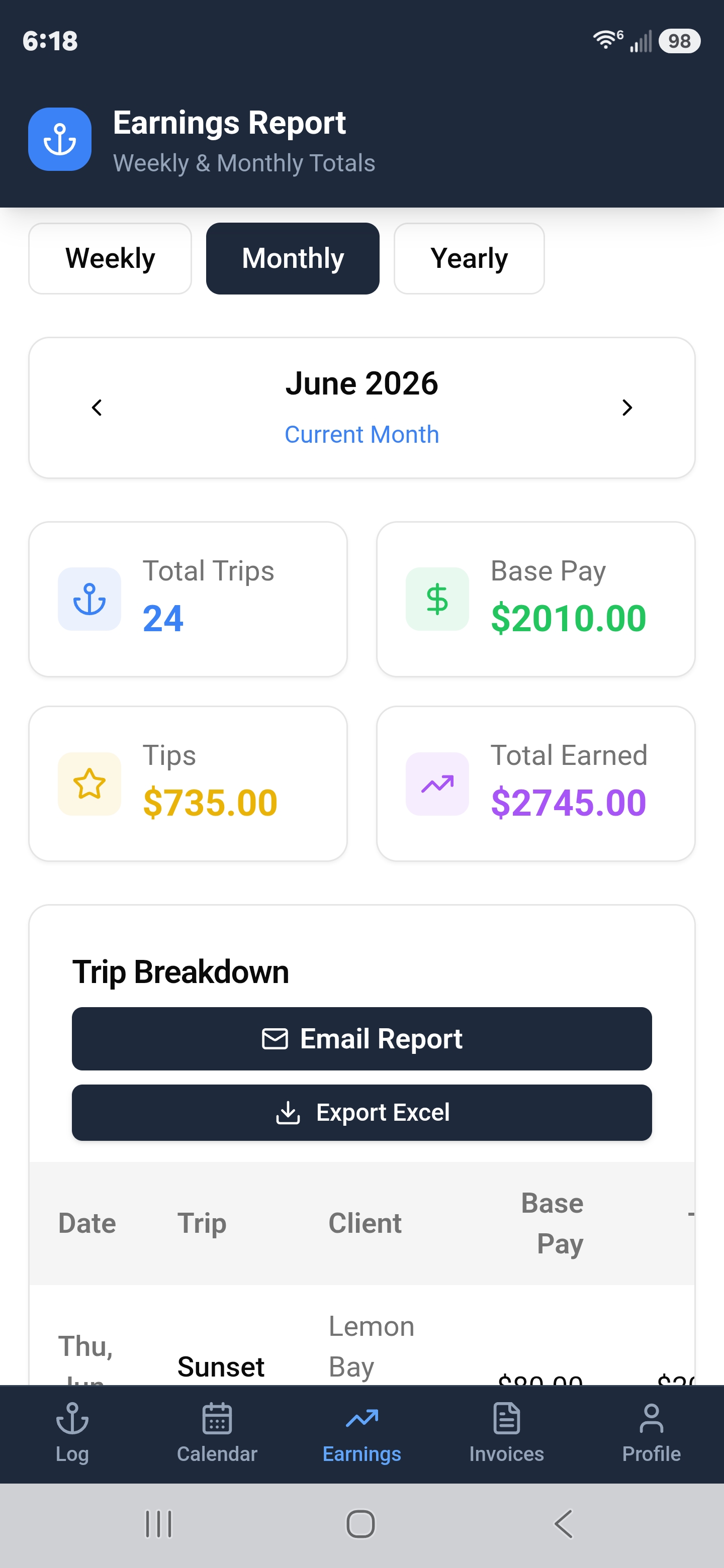
Earnings report — weekly, monthly & yearly
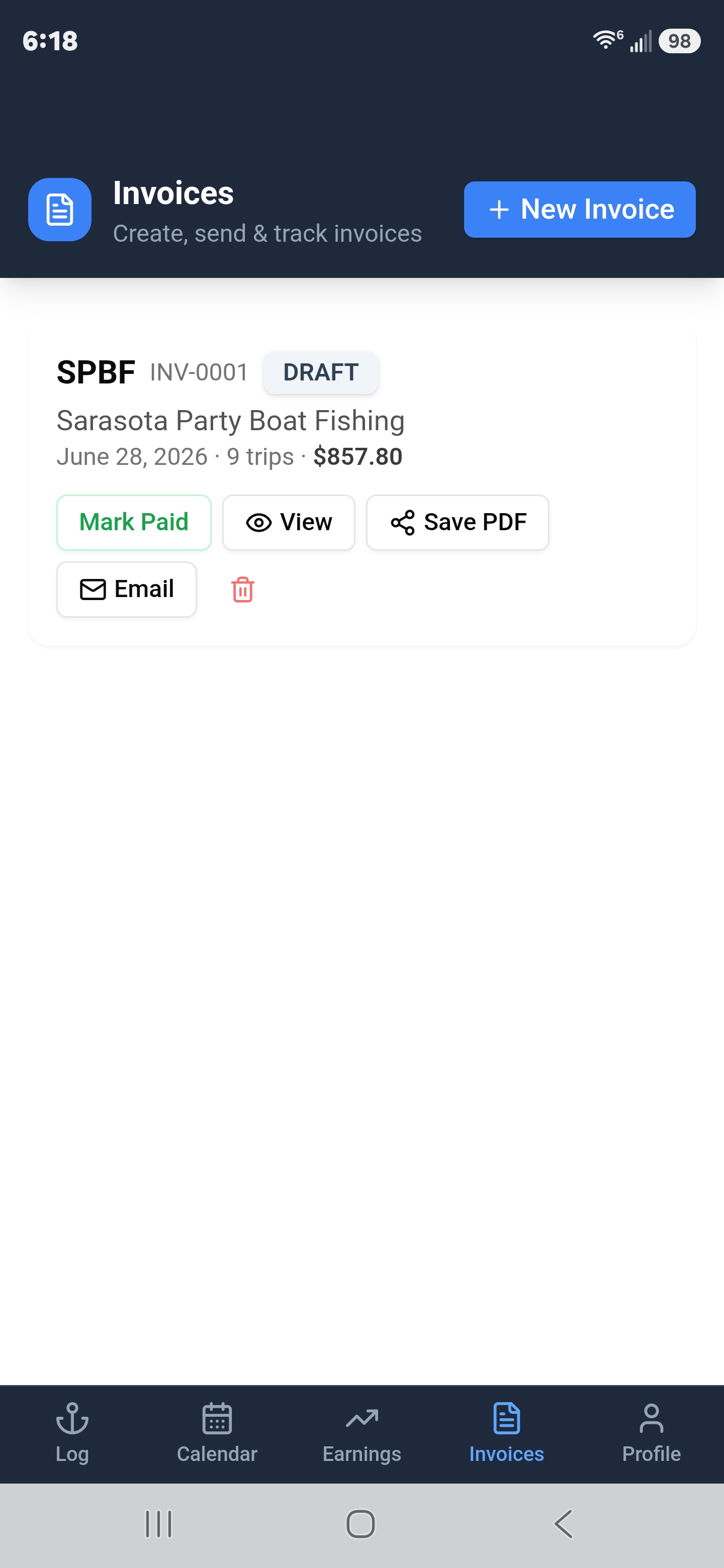
Invoice list — Mark Paid, PDF, Email
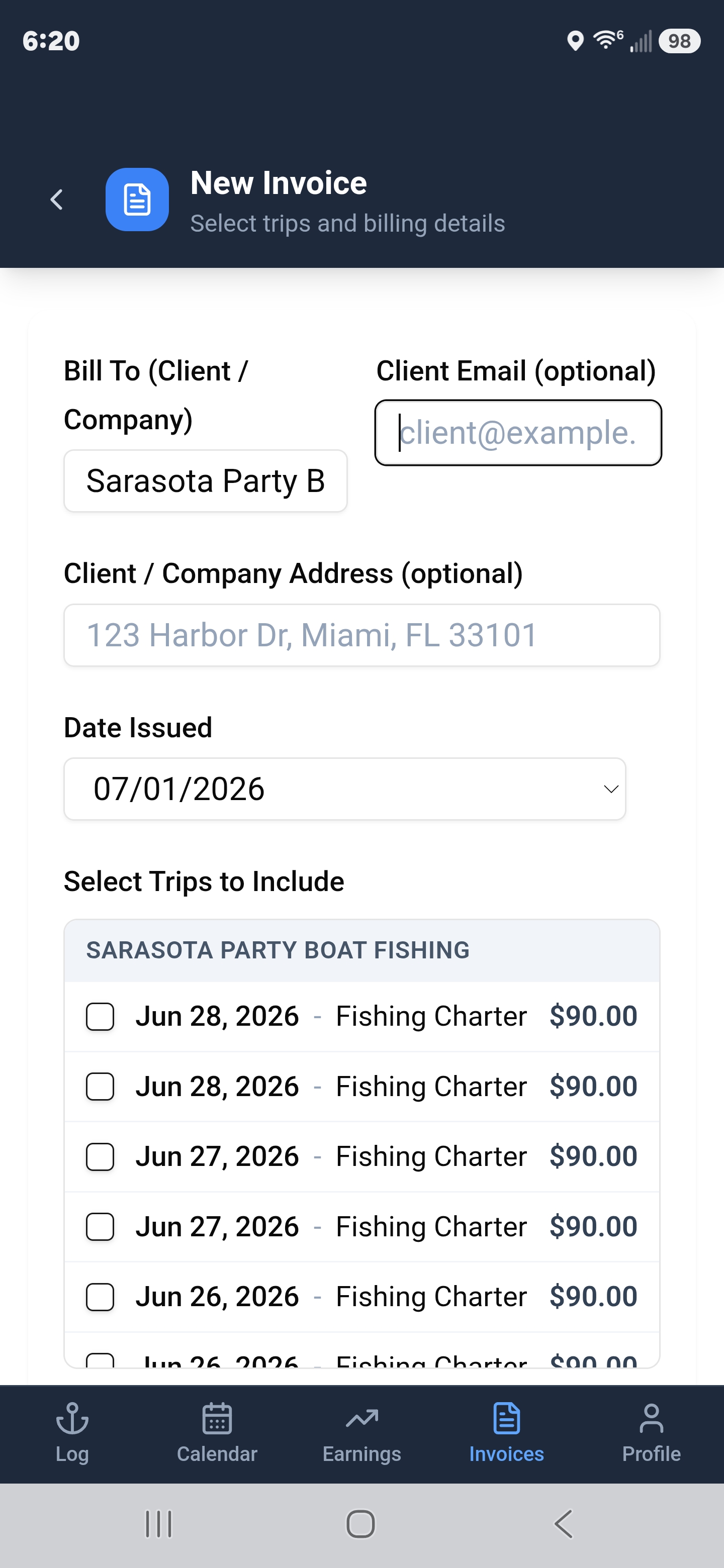
Build an invoice — select trips by date
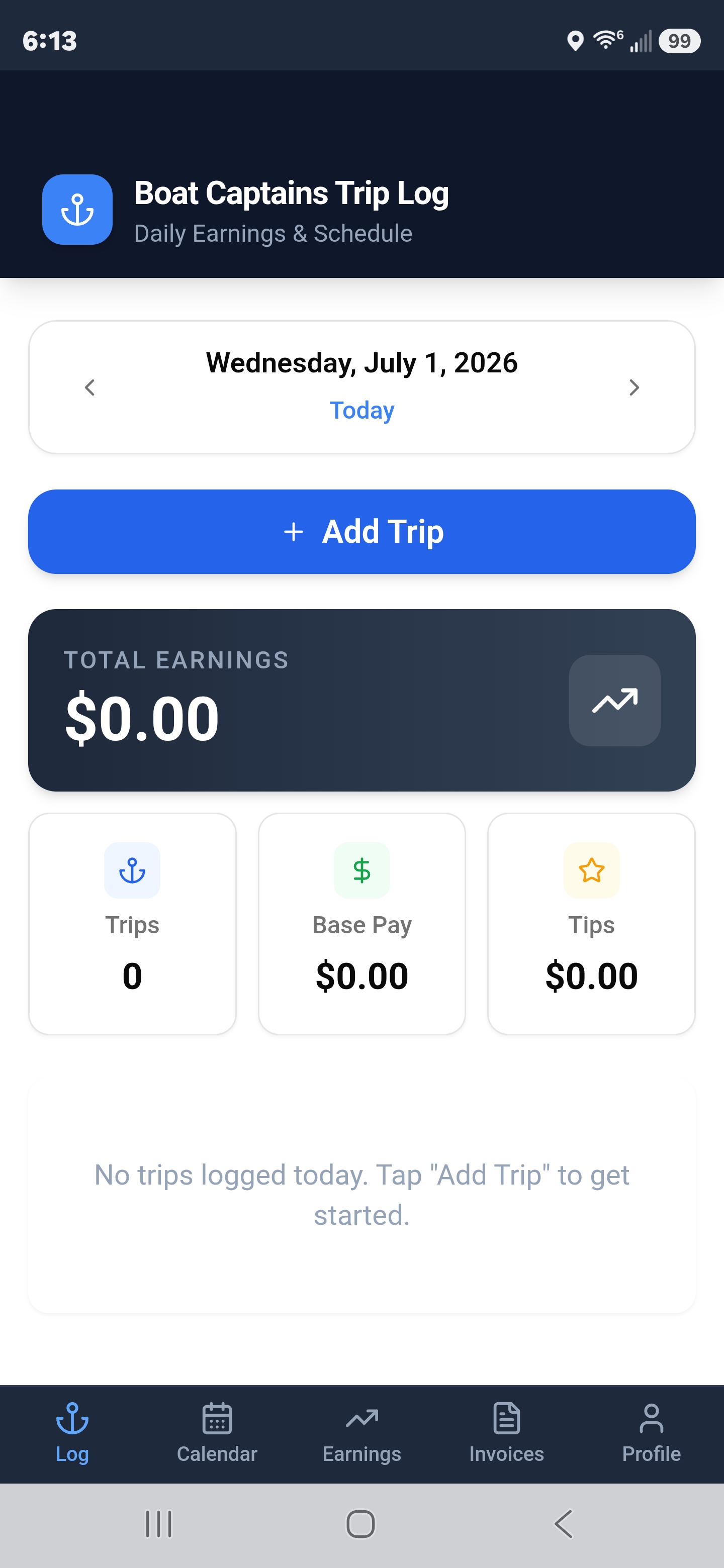
Start fresh every day
Reimbursable Expenses &
Receipt Scanning
Keep track of every reimbursable expense — and the receipts that go with them — right from your phone. Scan, assign, and invoice without leaving the app.
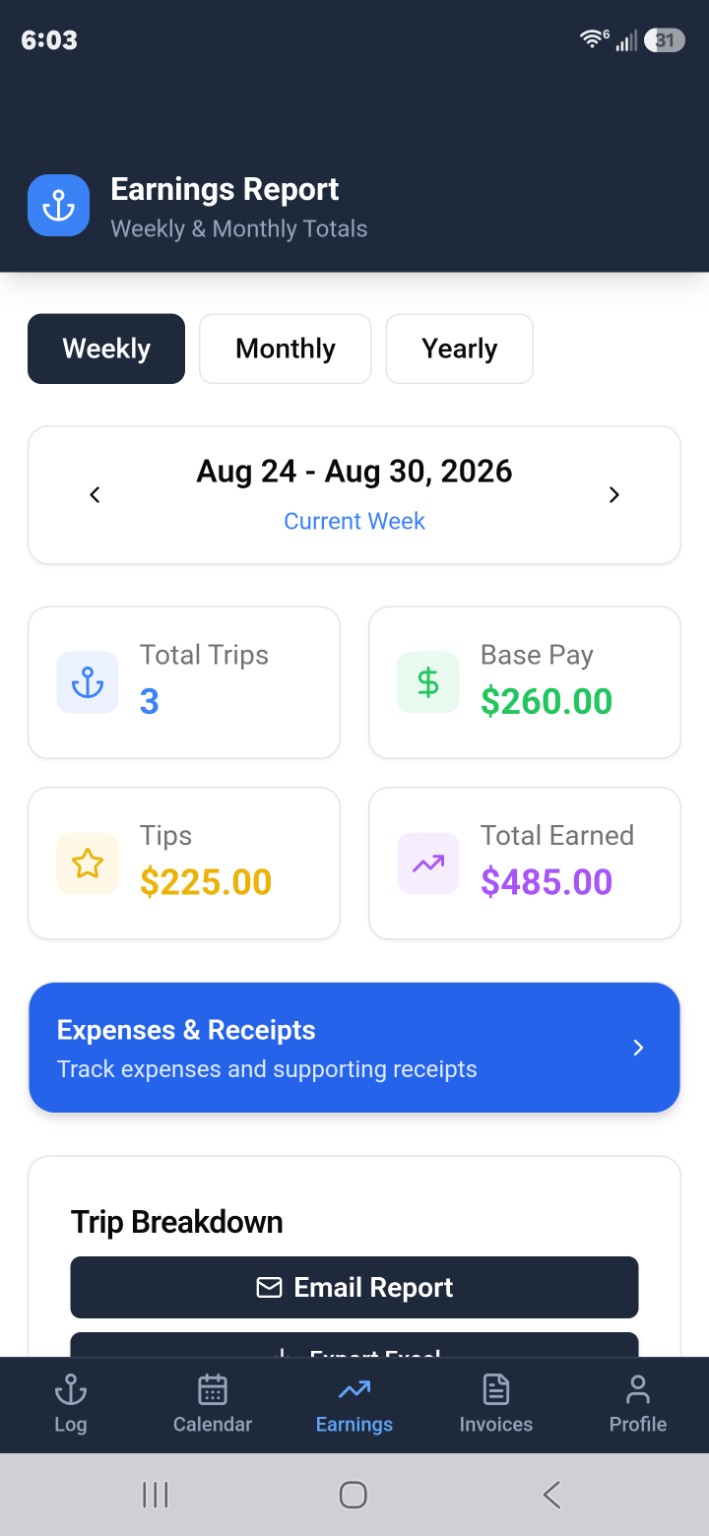
Tap Earnings, then tap the blue Expenses & Receipts button
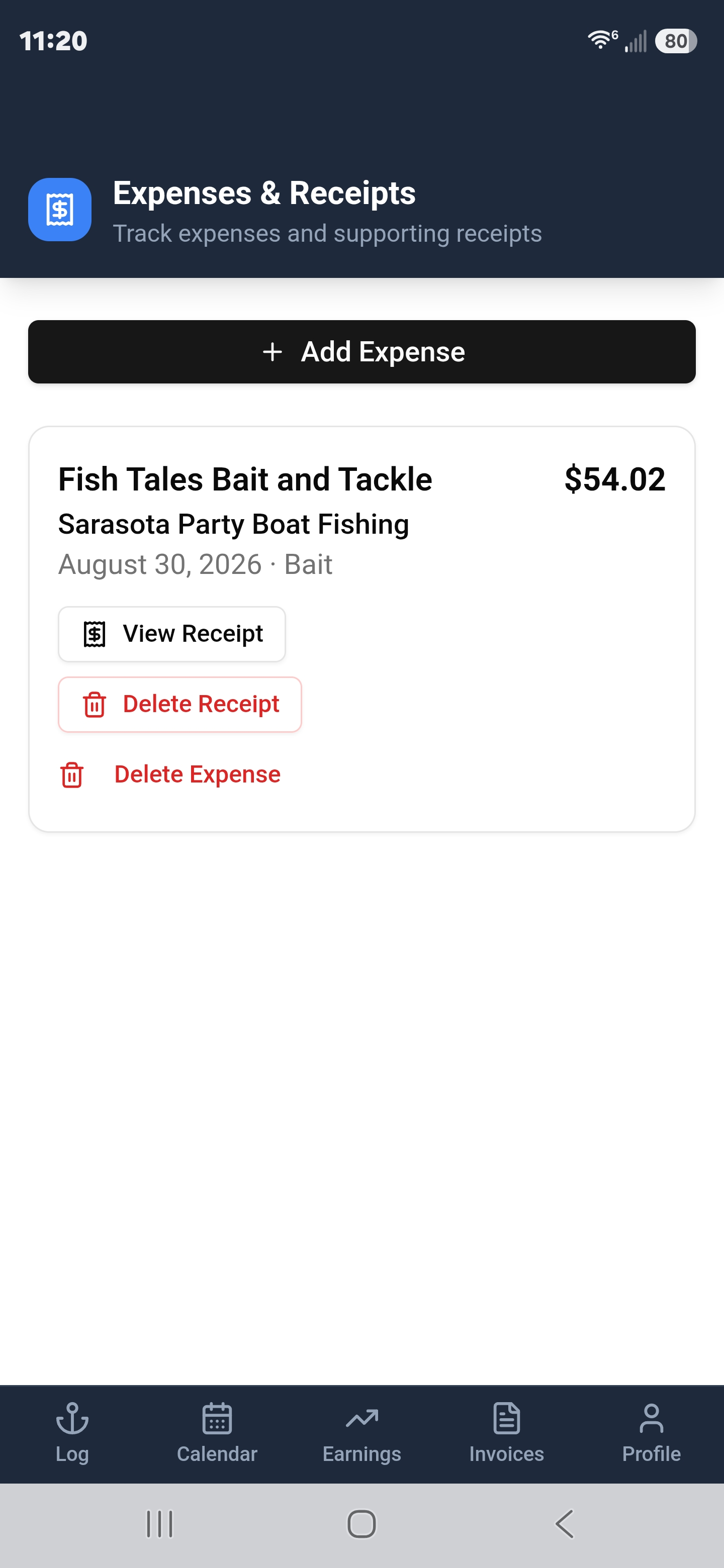
Your saved expenses — tap Add Expense to log a new one
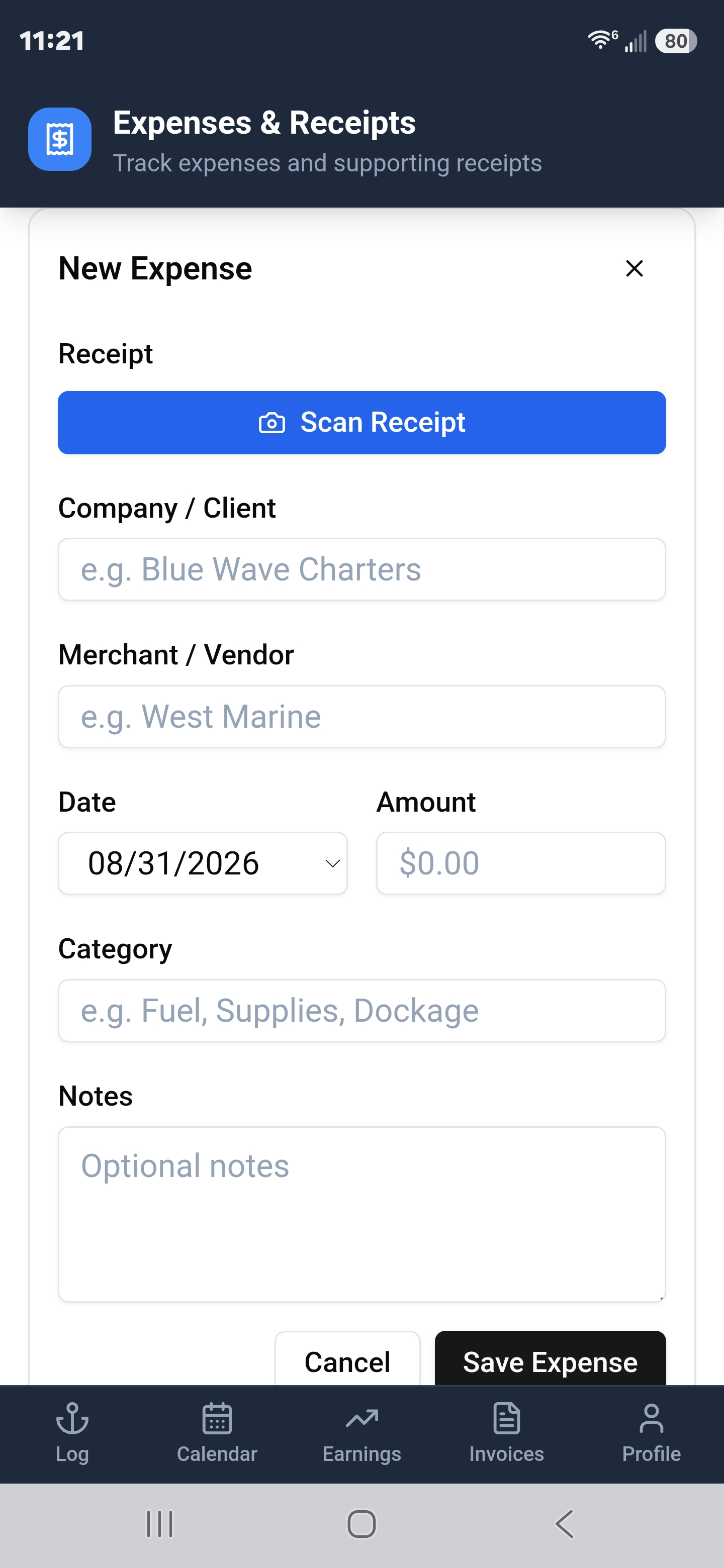
Tap Scan Receipt to capture the receipt with your camera
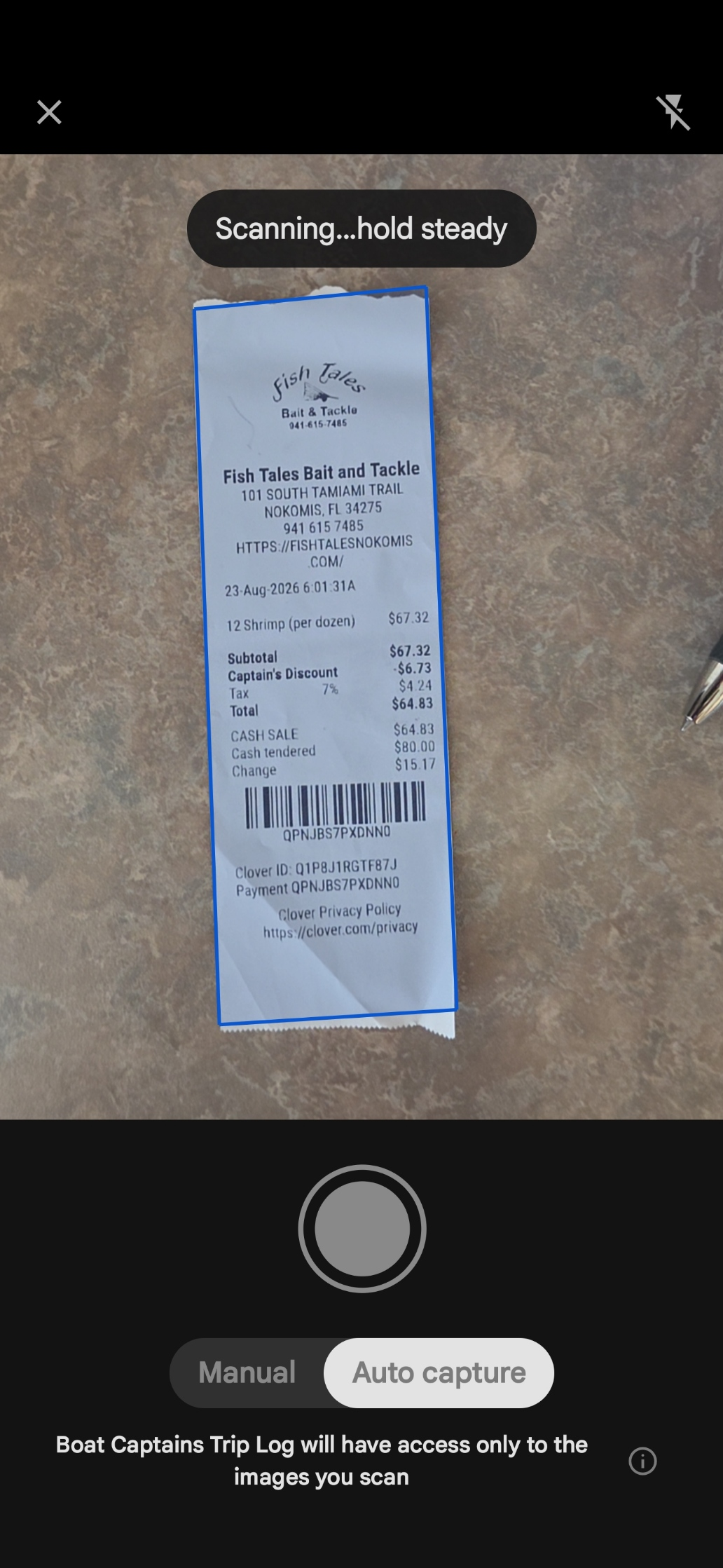
Point your camera — the app locks on and reads the receipt
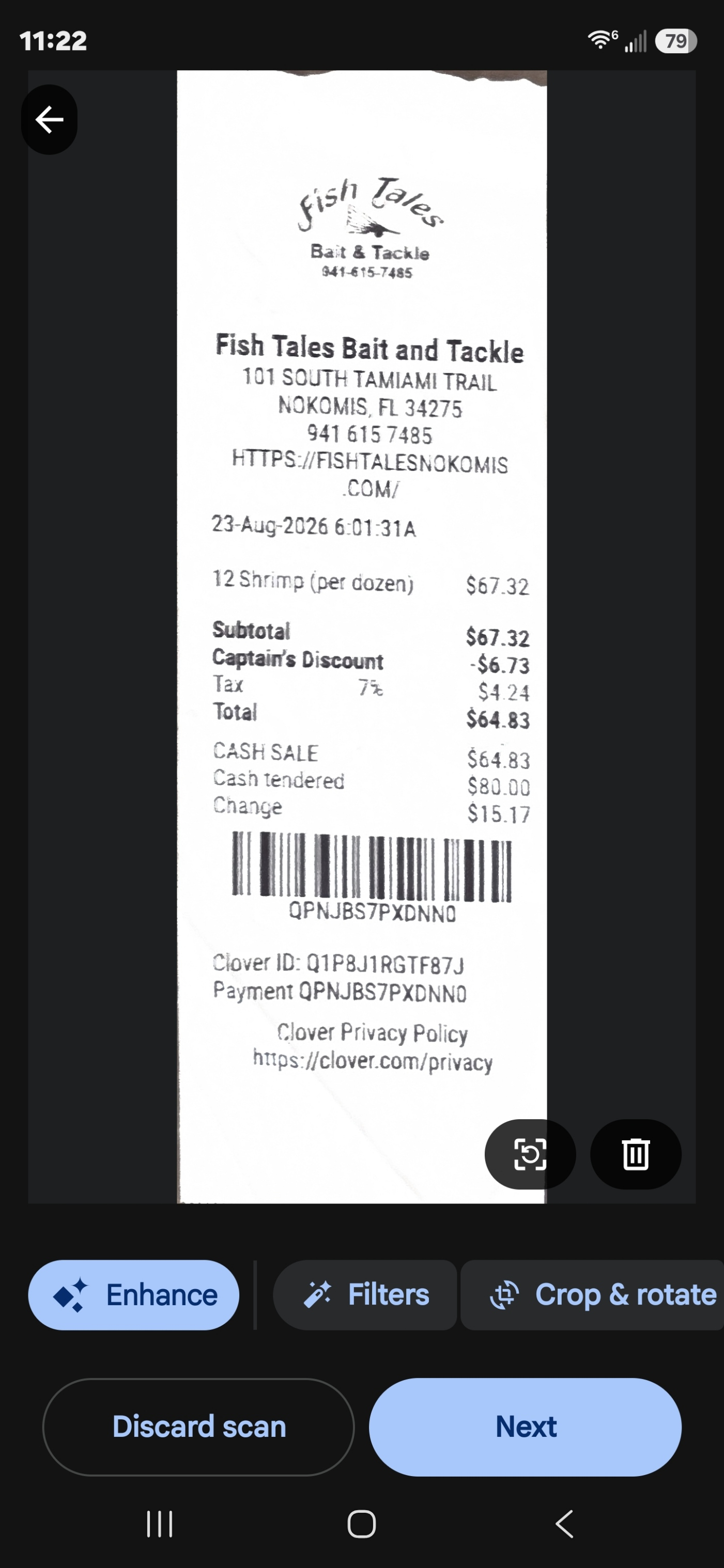
Review the scanned receipt clearly, then tap Next
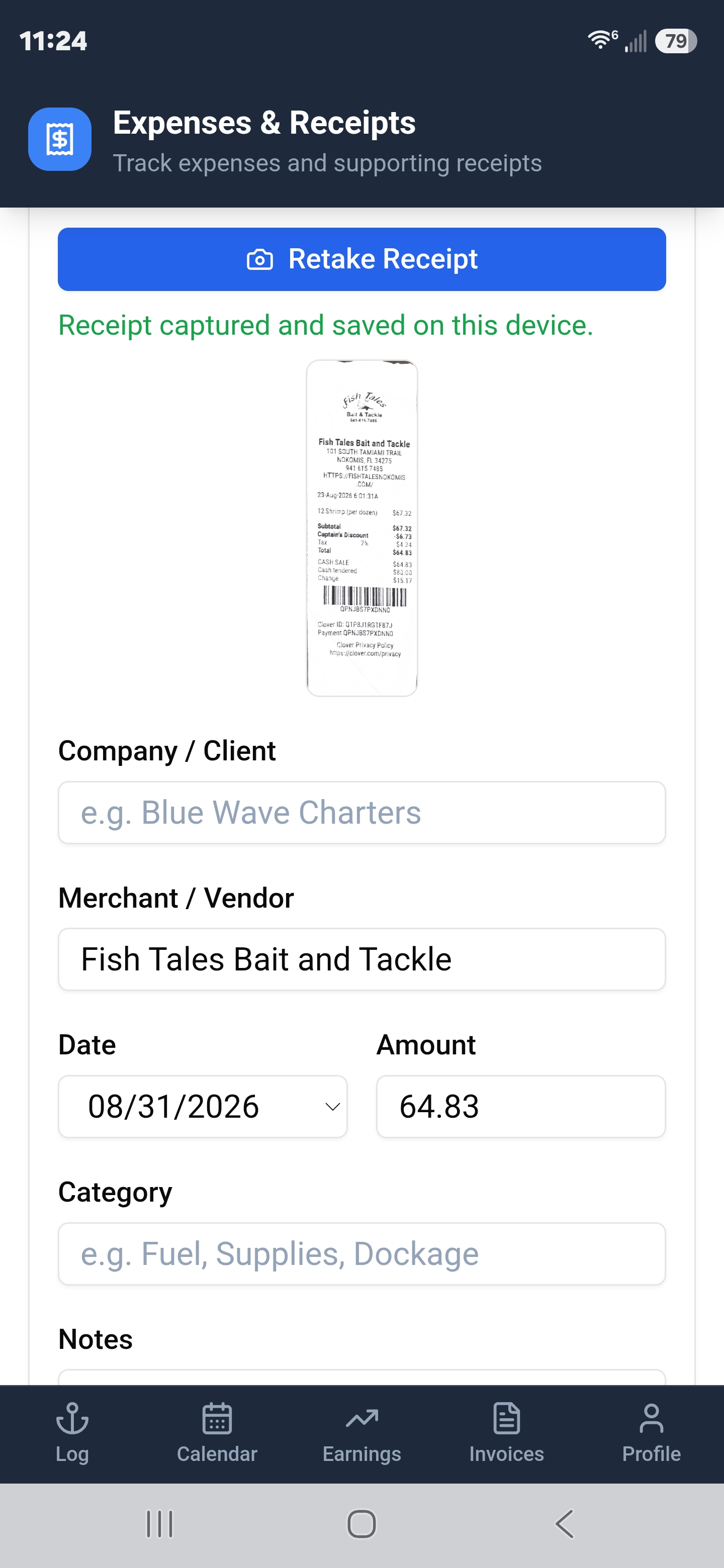
Merchant, date & amount auto-filled — assign to a client and save
Then close the loop on invoice day:
When creating an invoice, pick which reimbursable expenses to include.
The actual scanned receipt is embedded directly in the invoice PDF.
Send the completed invoice with receipts to your client without leaving the app.
Made by Captains,
for Captains
Boat Captains Trip Log was built because real working captains were texting themselves trip notes and doing the math in spreadsheets at the end of the week. There had to be a better way.
Built for working captains who need a faster way to log trips, track every dollar they earn, document expenses, and send professional invoices from the dock. One purchase. Yours for life.
Follow on FacebookBuilt for working captains who want to log trips, track earnings, document expenses, and send professional invoices — all from the dock.
Join the conversation on Facebook →Stay in the Loop, Captain
Sign up for updates, promotions, and news. No spam — just the good stuff for working captains.
Drop Us a Line
Questions, feedback, or feature requests? We'd love to hear from you.
Email Us for HelpFrequently Asked Questions
Quick answers about the boat captain trip logbook, charter captain invoicing, fishing charter trip logs, and boat captain earnings tracking.
What is Boat Captains Trip Log?
Boat Captains Trip Log is a mobile app purpose-built for professional boat captains — charter captains, fishing guides, tour boat captains, boat delivery captains, and yacht transport captains. It replaces texted notes and Excel spreadsheets with a fast, phone-first system for logging trips, tracking base pay and tips, managing invoices, scanning receipts, and generating earnings reports.
Who is Boat Captains Trip Log for?
It is built for USCG-licensed working boat captains who need to track trips and income on the water. That includes charter captains, fishing guides, tour boat captains, boat delivery captains, and yacht transport captains. It is not designed for recreational boaters.
What can I track in the boat captain earnings tracker?
Boat Captains Trip Log lets working captains track trip details, passenger counts, base pay, tips, total earnings, reimbursable expenses, receipt documentation, invoices, and captain profile information in one place.
Can I use it for charter captain invoicing?
Yes. You can select logged trips, generate invoices, save them as PDF, and email them to the company you're billing. The invoice PDF includes trip dates, trip status, base pay, add-on expenses, and passenger counts.
Does it help with fishing charter trip logs?
Yes. You can keep day-to-day fishing charter trip logs organized, even when you need to work fast between trips. The app supports charter, tour, fishing, boat delivery, and yacht transport trip types.
Can I track reimbursable expenses and receipts?
Yes. The app includes built-in expense and receipt tracking. Scan a receipt and the app reads the merchant, date, and amount automatically. Assign the expense to a client, then include it on an invoice — the actual scanned receipt attaches to the invoice PDF and can be emailed directly from the app.
Does it work offline on the water?
Yes. Trip logging, earnings tracking, and invoice building all work offline. An internet connection is only required to send invoices and earnings reports by email.
Is there a free version?
Yes. Download free and log your first 3 trips on us. When you're ready to go unlimited, one payment of $29.99 unlocks everything — forever. No subscription, no renewals. The Pro Captain upgrade is tied to your account, not your device.
How much does Boat Captains Trip Log cost?
The app is free to download on iOS and Android. After your first 3 free trips, a one-time $29.99 Pro Captain purchase unlocks unlimited trip logging and full captain profile access. There are no subscriptions, no monthly fees, and no renewals — pay once and use it for life.
Is there a boat captain trip log app for Android?
Yes. Boat Captains Trip Log is available on both the Apple App Store for iPhone and iPad, and on Google Play for Android devices. Both versions are free to download with the same Pro Captain upgrade available.
Can I use it to track earnings for tax reporting?
Yes. The app categorizes earnings by trip type, client, and date range, which makes it easier to pull the numbers you need for end-of-year accounting and tax reporting. You can export earnings reports as PDF.
Does the app support multiple vessels or clients?
Yes. You can manage trips across multiple vessels or clients within a single account. Client information is stored in a reusable directory so you can quickly assign trips without re-entering details.